
Creating a trading bot without coding means configuring a strategy through forms and controls instead of writing software. The important work is still defining clear, testable rules.
No-code bot building workflow
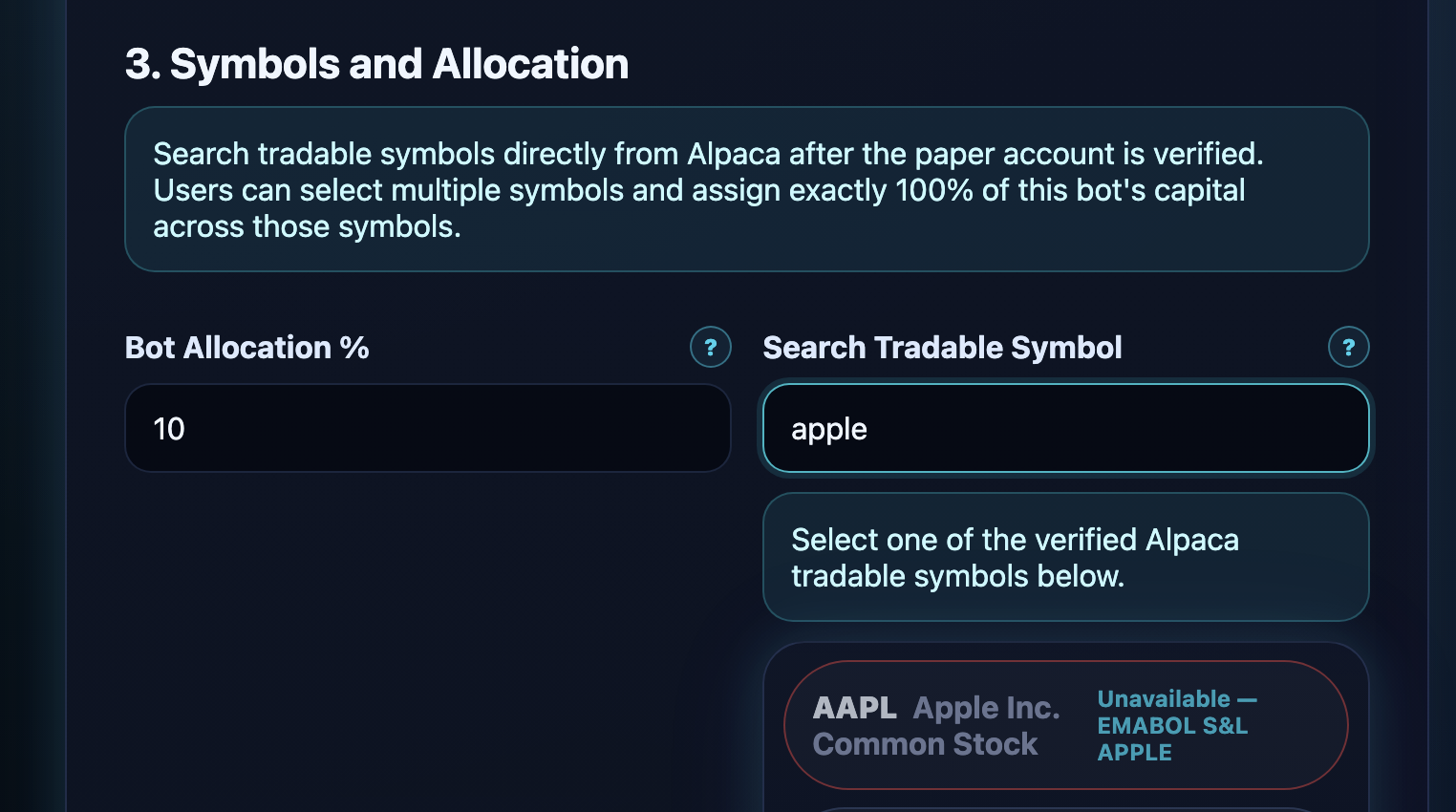
Start with a small list of liquid stocks
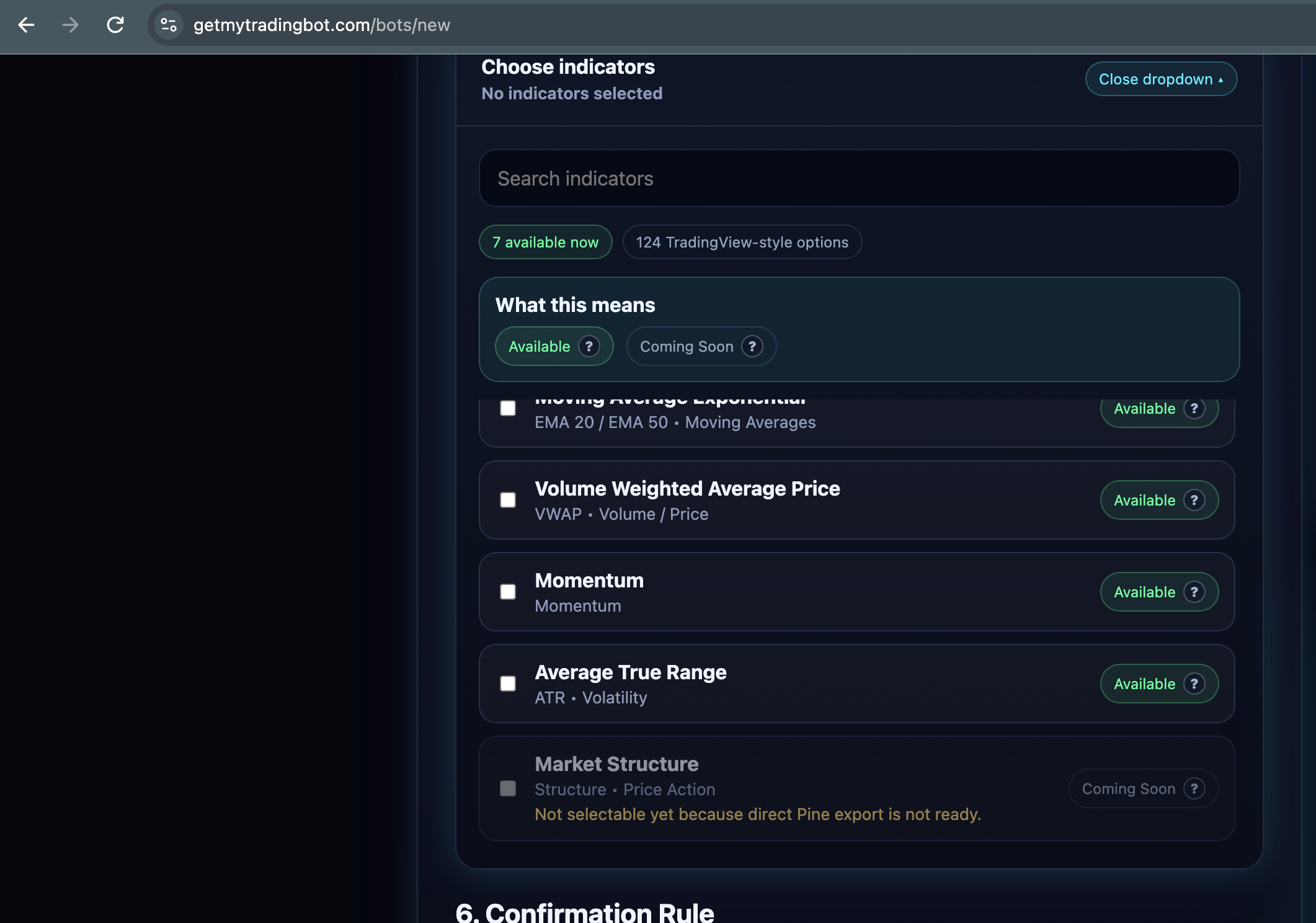
Give each indicator a specific purpose
Decide how many conditions must agree
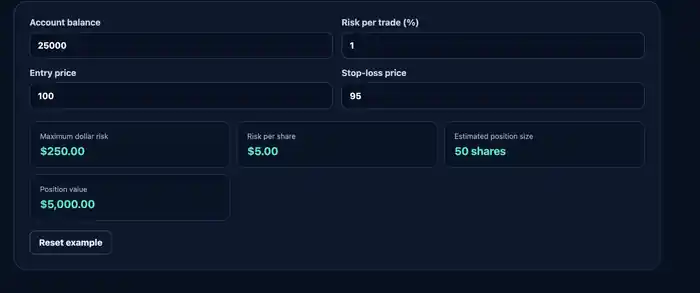
Choose allocation, stop loss and take profit
Review historical trades before paper trading
See the concept inside GetMyTradingBot
1. Choose a market and timeframe
Start with a small number of liquid US-listed symbols and one timeframe. Changing symbols and timeframes can materially change the results.
2. Select indicators with different jobs
Use indicators because they answer a specific question, not because more indicators look more advanced.
- Trend: EMA or VWAP
- Momentum: RSI or MACD
- Strength: ADX
- Volatility and risk: ATR or Bollinger Bands
3. Define entries, exits and confirmation
Write exactly what must happen before a trade opens and closes. Avoid vague rules such as buy when the chart looks strong.
4. Set risk limits
Select position size, stop loss, take profit, daily loss limit and whether positions may remain open overnight. Risk settings should be decided before reviewing potential profit.
5. Backtest and paper trade
Backtesting examines historical behavior. Paper trading shows how the strategy behaves as new data arrives. Use both because neither one guarantees future results.
Frequently asked questions
How many indicators should a beginner use?
Start with a small combination where every indicator has a clear purpose. More indicators can create conflicting or redundant signals.
Should I optimize until the backtest is perfect?
No. Excessive optimization can fit historical noise and produce fragile results.
When should I use real money?
The platform is focused on education and paper trading. Any decision to use exported logic elsewhere is your responsibility and involves risk.